
Webflow Optimize: 5 alternatives for multi-platform testing
Webflow Optimize is not the only option for teams looking to run A/B tests across their digital experiences. This guide compares leading alternatives and what each platform offers for different testing needs and technical setups.






Published October 13, 2026

Webflow Optimize gives Webflow users tools to run A/B tests and personalize their websites. But if you need to run tests across other platforms, you may need A/B testing tools that give you more flexibility.
Growth teams often use A/B testing on websites, Shopify stores, custom-built sites, and mobile apps. Using a tool that works mainly with one website platform can make this harder, especially when teams need to manage tests across different parts of their digital stack.
In this guide, we’ll look at Webflow Optimize alternatives that work across different platforms and environments. These tools help teams run tests wherever customers interact with their brand, without being tied to a single website builder.
» Looking to scale your testing framework? See the best A/B testing tools to support it
A quick overview of the best Webflow Optimize alternatives in 2026

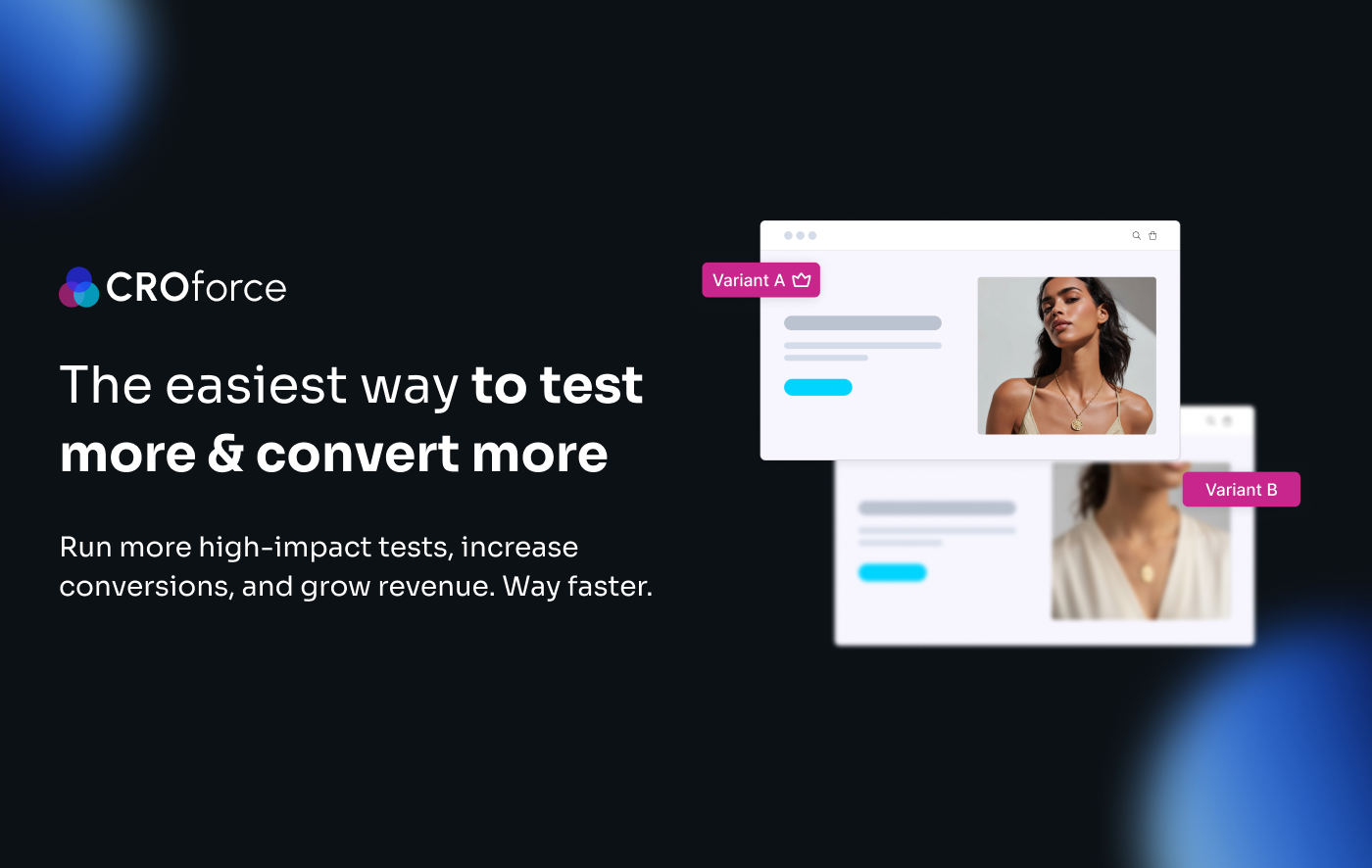
CROforce combines A/B testing software with a fully managed CRO service, covering strategy, design, development, QA, and analysis without requiring an in-house team.
Works with any website
Supports complex tests, including multivariate testing (MVT) and split URL tests
Supports both client- and server-side testing

Amplitude brings experimentation into the same analytics environment, allowing teams to connect web and app test results with the user data they already collect.
Combines no-code web testing with SDK-based feature experimentation
Connects experiment results with Amplitude events, cohorts, funnels, and user data
Supports server- and client-side SDKs across web and app environments
Optimizely is built for more complex experimentation programs that need to test beyond the browser across mobile, server-side, and backend environments.
Includes multivariate tests, multi-armed bandits, SRM detection, and sequential testing
Connects anonymous and known user identities across different environments
SDKs support web, mobile, server-side, and backend experimentation
Show more
» Still testing based on gut feel? Here's what a structured approach to A/B testing a website looks like
5 best Webflow Optimize alternatives for multi-platform testing
1
CROforce
Fully managed service
Every aspect of the testing program is handled by CROforce's team, from strategy to development and analysis
Higher test impact
CROforce's experts identify the highest-leverage pages and elements on your site, so every test is built around the biggest possible uplift
Increased test velocity
Removes the resourcing bottleneck, enabling teams to ship significantly more tests than a DIY tool setup allows
Why we chose it
CROforce combines a no-code A/B testing platform with a dedicated team of CRO specialists, designers, developers, and analysts who handle strategy, design, development, monitoring, and analysis. Unlike Webflow Optimize, which is closely tied to the Webflow ecosystem, CROforce runs one script across every site and CMS you own, making it a better fit for teams testing across multiple platforms.
It also removes much of the developer bottleneck by having its team build and launch tests, with design and development hours included in managed plans.
Core capabilities
- CROforce integrates with any platform, including Webflow, WordPress, Shopify, WooCommerce, BigCommerce, Wix, Squarespace, and Weebly
- Run unlimited concurrent tests across high-traffic pages without flicker
- Run price, feature, and shipping tests alongside standard A/B and multivariate tests
- Managed plans include a CRO audit, custom roadmap, and dedicated design and developer hours
Pricing
CROforce uses transparent, visitor-based pricing. Pricing starts from $234 per month for 10,000 visitors on the Self-serve plan, while the managed Build, Scale, and Premium plans cost $1,710, $2,923, and $4,137 per month, respectively, when billed annually.
Pros and cons
Works across custom stacks, non-Webflow sites, and single-page applications (SPAs)
Built-in heatmaps
Unlimited concurrent tests
No built-in session recordings
2

Amplitude
Analytics integration
Experiment results connect directly with Amplitude event data, cohorts, and funnels
Web and app testing
Feature experimentation extends testing beyond websites into product and app experiences
Engineering involvement
SDK instrumentation and anything beyond basic feature edits requires developer support
Why we chose it
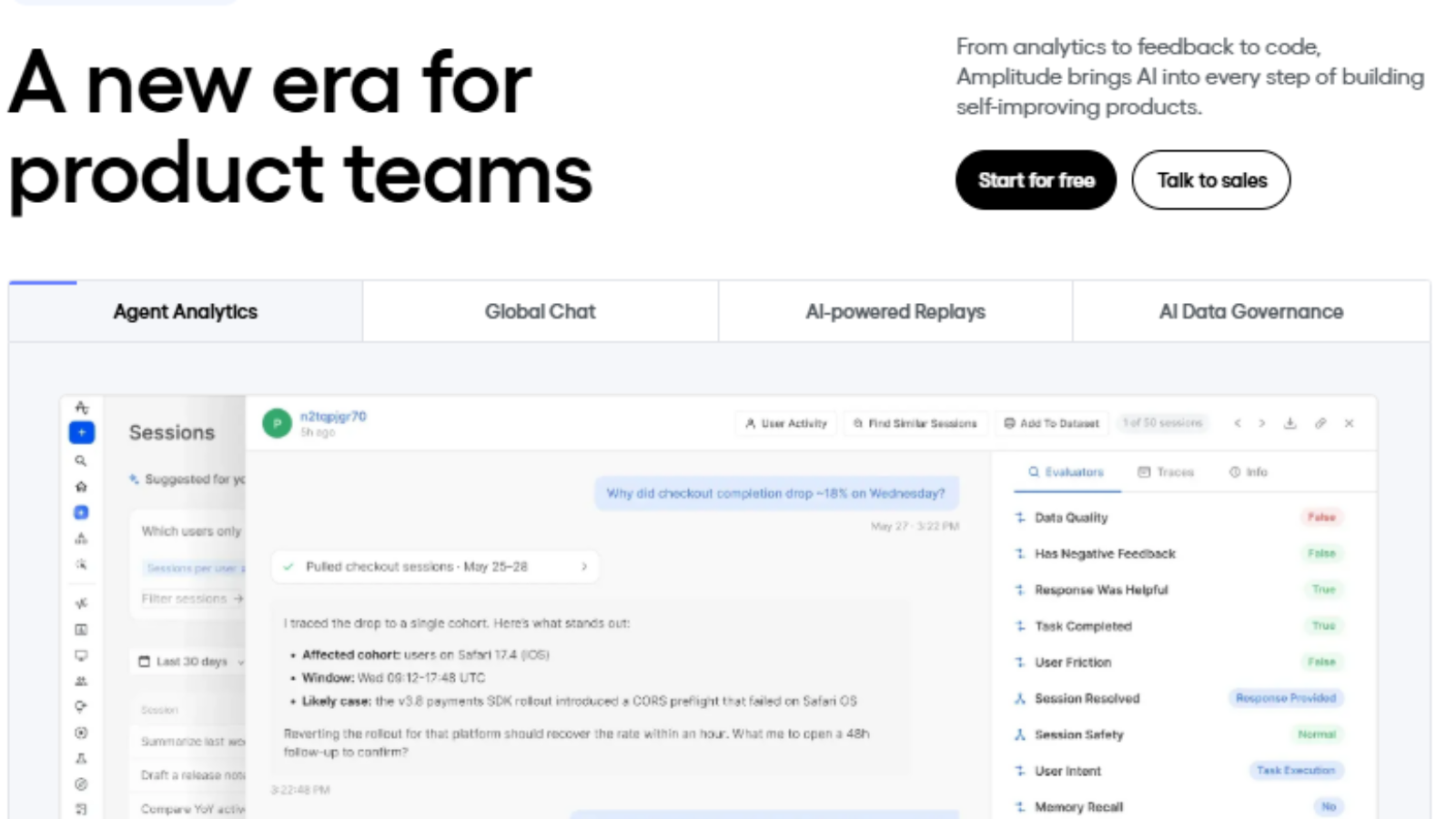
Amplitude combines experimentation with its analytics platform through Web Experiment and Feature Experiment. While Webflow Optimize reports testing results within Webflow, Amplitude connects experimentation to the same event data, cohorts, and funnels used across its analytics platform.
Its built-in user identity resolution also connects web and app behavior to the same user, making it a stronger option for teams that need experimentation across both web and product experiences.
Core capabilities
- The visual editor works on any CMS. One script tag also enables Session Replay, Heatmaps, and Web Analytics
- Feature flags are unlimited on every plan, and developer SDKs and APIs are included
- Server- and client-side SDKs support local or remote evaluation
- Tests support A/B/n designs and targeting by cohort, behavior, or user property
Pricing
Amplitude uses freemium, event-based pricing. The Free plan includes 2 million events per month, while Plus starts at $0 and scales with volume up to 70 million events. Growth and Enterprise are custom-priced based on event volume.
Pros and cons
Connects experimentation directly with analytics data
Supports both web and app experimentation
Developer SDKs and APIs are included
Free and Plus allow only 1 active experiment per product
Feature Experimentation requires engineering involvement beyond basic text edits
3

Optimizely
Experimentation depth
Supports multivariate testing, multi-armed bandits, SRM detection, and sequential testing
Technical flexibility
Server-side, backend, and mobile SDKs support testing beyond the browser
Program scale
Its depth is best suited to mature, engineering-led programs running 30 or more tests per quarter
Why we chose it
Optimizely goes beyond the page-level testing approach of Webflow Optimize with separate Web Experimentation and Feature Experimentation products.
Its strength is the depth of its experimentation stack, including multivariate testing, multi-armed bandits, SRM detection, sequential testing, server-side experimentation, and mobile SDKs.
Core capabilities
- Client-side SDKs for Android, Swift, Flutter, JavaScript, React, and React Native
- Server-side SDKs for C#, Go, Java, Node, PHP, Python, and Ruby
- Agent microservice support
- Real-Time Audiences stitch anonymous and known user IDs, letting any SDK pull full profiles from Optimizely Data Platform
- Mobile SDKs cache experiment configurations and store events offline on Android, Swift, Flutter, and React Native
Pricing
Optimizely uses custom enterprise contracts only, with no self-serve tier or monthly billing. Third-party reports from August 2026 cite roughly $36,000 to $80,000 per year for smaller traffic bands for standalone Web Experimentation.
Pros and cons
Supports web, server-side, backend, and mobile experimentation
Advanced statistical and experimentation capabilities
SDKs cover a wide range of development environments
Web Experimentation and Feature Experimentation are priced separately
Implementation and training can add 35% to 50% to year-one license costs
4

Convert
Full-stack experimentation
Test business logic, APIs, pricing, and algorithms alongside front-end website changes
Testing flexibility
Run A/B, multivariate, multi-page, and full-stack experiments across websites, apps, and digital products
Privacy and compliance
Support privacy and security requirements with GDPR, HIPAA, ISO 27001, and SOC 2 Type 2 compliance
Why we chose it
Convert is a privacy-focused testing platform with GDPR, HIPAA, ISO 27001, and SOC 2 Type 2 compliance. Compared with Webflow Optimize, it offers a broader experimentation stack that includes A/B testing, full-stack experimentation, feature flags, multivariate testing, and multi-page testing.
Its full-stack SDKs also let teams test beyond browser-based website changes, including business logic, APIs, pricing, and algorithms. This gives teams more flexibility to run experiments across their website, apps, and other digital products.
Core capabilities
- Full-stack SDKs for JavaScript, Node, React, PHP, Ruby, Android, and iOS
- The SDK runs inside Cloudflare Workers, so bucketing happens at the edge with zero flicker
- On Pro and Enterprise, CNAME support reduces data loss from ad blockers, and bucketing can wait for consent
- Full-stack tests reach business logic, APIs, pricing, and algorithms
Pricing
Convert uses transparent flat rates based on tested-user bands. At 100,000 tested users per month and billed annually, Growth costs $299 per month and Pro costs $420 per month. Enterprise is priced on request.
Pros and cons
No limits on the number of experiments you can run
Strong audience targeting and segmentation with 40+ targeting filters
Supports both Bayesian and Frequentist statistical analysis
More complex than simpler visual A/B testing tools
Pricing can become expensive as traffic and testing needs increase
5

GrowthBook
Technical flexibility
SDKs cover server, client, mobile, and edge environments
Data ownership
Cloud or self-hosted deployment and direct warehouse connections give technical teams more control over experimentation data
Developer control
Code-based implementation gives technical teams flexibility to build and customize experiments
Why we chose it
GrowthBook is an open-source, warehouse-native experimentation and feature-flag platform that can run in the cloud or be self-hosted. Unlike Webflow Optimize, it is built for technical teams that want experimentation across their own data and development environments rather than being tied to a website builder.
Its SDKs cover server, client, mobile, and edge environments, while direct warehouse connections allow web and app exposures to share metric tables.
Core capabilities
- More than 24 SDKs across server, client, mobile, and edge
- SSR and edge SDKs for changes before page load
- Connections to Snowflake, BigQuery, Redshift, Databricks, and ClickHouse
- Shared metric tables across app and web exposures
Pricing
GrowthBook uses transparent per-seat pricing. The free Cloud Starter plan supports up to 3 users with unlimited flags, experiments, and traffic. Pro costs $40 per user per month and adds the visual editor and 2 million free events. Enterprise is custom-priced.
Pros and cons
Supports server, client, mobile, and edge experimentation
Can be cloud-hosted or self-hosted
Connects directly with major data warehouses
The visual editor requires a $40 monthly Pro seat
Visual editor changes are not indexed by search crawlers and winning variants must be rebuilt in code
» Explore the CROforce platform to see how it supports your full testing program
How to choose the right platform
Before comparing platforms, consider how each tool fits your technical setup, team capabilities, and testing requirements. The following factors will help you identify a solution that supports consistent experimentation across all your digital properties:
- Assess your tech stack: Consider whether you need to test across Shopify, custom applications, static sites, mobile apps, or multiple CMSs.
- Evaluate engineering bandwidth: Cross-platform software is only useful if you have developers available to implement and maintain tests across different environments.
- Check tracking capabilities: Make sure the platform can connect experiment data across domains, applications, and other environments where the same users interact.
- Match the platform to your team: Optimizely and GrowthBook suit engineering-led teams, while Amplitude works well for teams already using its analytics platform. Convert fits teams with their own developers or agency support.
- Consider managed support: If your main bottleneck is specialized development capacity, CROforce provides developers, designers, analysts, and CRO specialists to build and launch experiments across multiple sites and CMSs.
» See the A/B testing mistakes that break a testing framework
Choose a testing platform that fits your experimentation model
Choosing a Webflow Optimize alternative is ultimately about finding a testing setup that supports your broader experimentation goals rather than simply replacing one tool with another. The platforms covered here range from developer-focused solutions with extensive SDK support to enterprise platforms built for large experimentation programs and managed services that take execution off your internal team.
The right fit will depend on how much control, technical flexibility, analytics depth, and hands-on support your team needs. By matching those priorities to the way your business already operates, you can build a testing program that is easier to manage and better suited to long-term growth.
» Still managing tests in-house? Talk to a CROforce expert about a fully managed alternative