
8 CRO recommendations with real-world examples and results (2026)
Eight CRO recommendations backed by real results, not best-practice guesswork. Each one includes a documented example so you can see what changed, what was tested, and what it produced.






Updated March 13, 2026

Most conversion rate improvement isn't about major redesigns or expensive tools. It's about identifying the specific friction points that are quietly costing you conversions every day, and fixing them in order of impact. The challenge for most teams is knowing where to start.
This article covers eight CRO recommendations that have each generated measurable results in practice. For each one, there's a real-world example showing what changed, what was tested, and what the outcome was, so you can evaluate how each applies to your own situation.
How to use these CRO recommendations
CRO recommendations are specific, evidence-based changes to your site designed to increase the percentage of visitors who complete a key action. The goal is to use your own user behavior data to prioritize changes, then validate them through structured testing rather than pushing random best practices live.
Each recommendation below comes with a real-world example showing what was tested and what it produced. Treat them as test ideas to prioritize based on your own funnel data, not as guaranteed wins to implement wholesale.
8 CRO recommendations with real-world results
1. Remove unnecessary form fields
Baymard’s 2024 checkout research shows that most e-commerce sites still ask for more information than they need. On average, checkouts use about 11.3 form fields, even though many can work with roughly 8 essentials once non‑critical fields are removed and address lookup is enabled. Those extra inputs don’t just add noise; they meaningfully increase perceived complexity and abandonment.
Expedia’s well‑known “12 million dollar form field” story underlines the same point in a very concrete way. By removing a single confusing, non‑essential field from their booking form, they dramatically reduced drop‑off and unlocked roughly 12 million dollars in additional annual revenue, purely by making it easier for users to complete the transaction.
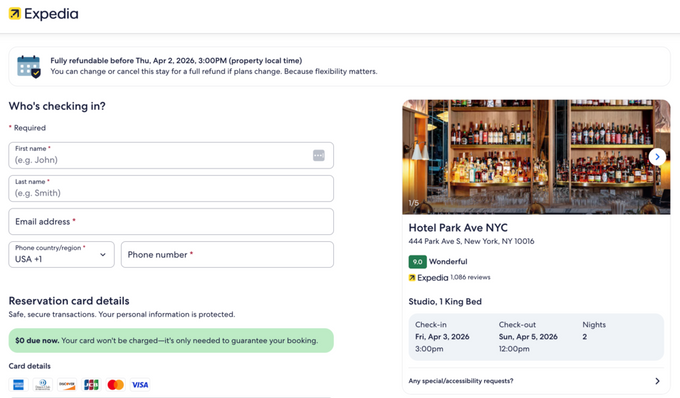
Takeaway: Start by cutting non‑essential fields and, where possible, collapsing your checkout into a single, guest‑friendly page.
2. Simplify checkout to a single, guest-friendly page
Multi-page checkouts require users to commit repeatedly over the course of several steps. Each page transition is a new opportunity to abandon. Moving to a streamlined single-page checkout removes that repeated commitment barrier and reduces the perceived effort of completing a purchase.
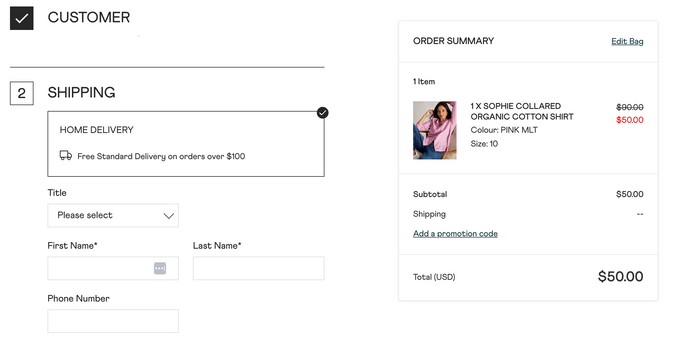
A recent BigCommerce case study with UK fashion brand White Stuff shows what happens when you simplify the entire checkout flow. As part of a broader UX and performance overhaul, White Stuff shifted from a three‑page checkout to a faster, one‑page experience that removed friction from completing a purchase.
The brand saw an 85% faster overall site, a 100% faster mobile experience, and a 37% increase in conversion rate, along with a 26% lift in per‑session value.
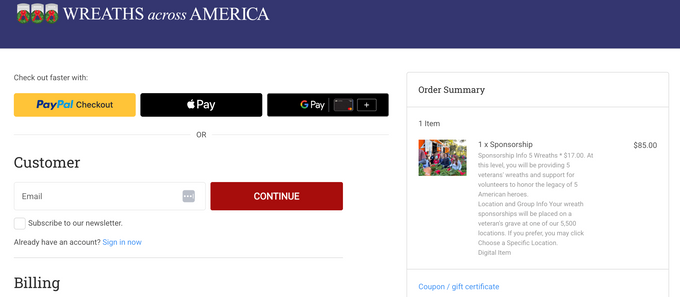
Nonprofits are seeing similar benefits: for example, Wreaths Across America used BigCommerce to streamline its online donation and sponsorship experience, making it easier for supporters to complete contributions in fewer steps and on any device.
Takeaway: If your checkout requires more than one page and mandates account creation, both are worth testing. Guest checkout, in particular, tends to have an outsized impact on new customer conversion rates.
3. Test your CTA copy before anything else
CTA button color gets a lot of attention, but the copy inside the button often has a greater impact on conversion rates. Specific, benefit-oriented language outperforms vague or generic alternatives because it tells the user exactly what they'll get and sets clearer expectations.
Going (the flight deals platform, formerly Scott's Cheap Flights) tested two CTA variants on their landing page: "Start Free Trial" versus "Get Premium Access." The second version doubled premium trial starts. As documented in Upskillist's A/B testing case study, the shift from process-oriented language ("start") to value-oriented language ("get premium access") significantly changed how users perceived the offer.
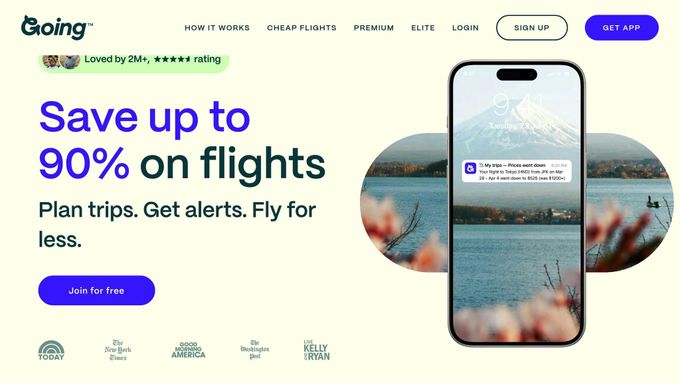
Takeaway: Write CTA copy that names the outcome, not the action. "Get my free audit" converts better than "Submit" for the same reason: it answers the user's implicit question of "what happens next?"
Erin Choice , CRO Specialist at CROforce
» Not sure where to start with your own CTA tests? Talk to a CROforce expert and get a prioritized test roadmap based on your site's actual data
4. Improve page speed before anything else
Page speed affects both SEO rankings and on-page conversion behavior. Users who encounter slow-loading pages abandon before they even see your content, which means no amount of on-page optimization can compensate for a slow site.
Research from Loopex Digital's 2026 CRO statistics report indicates that a one-second improvement in Largest Contentful Paint (LCP) has been linked to a 14-point drop in bounce rate and a 13% lift in conversions.
Takeaway: Run your key landing pages through PageSpeed Insights and address your Core Web Vitals before running any other tests. Speed issues suppress every other optimization you implement on top of them.
5. Use real human imagery on high-traffic pages
The question in 2026 isn't just "photo vs illustration" but whether the face on the page feels authentic enough to build trust. In a VWO experiment on a service landing page, swapping a generic, graphic-style hero for one featuring a real person increased sign-ups by about 48%.
A PubMed study also found AI-synthesized faces are now largely indistinguishable from real ones and are often rated slightly more trustworthy on average, meaning a well-chosen AI-generated face can work just as well as a photograph if it feels specific and on-brand.
GANNI’s current homepage is a good illustration of this approach. They keep the focus on one strong, human‑centric image that carries both style and intent, instead of competing graphics or multiple disconnected visuals

Takeaway: Treat the main face in your hero section as a conversion variable. Prioritize images that feel human and relevant over generic stock or heavily stylized AI art, and test authentic imagery against abstract hero sections early in your experimentation roadmap.
6. Place social proof at the point of decision, not just on a dedicated page
Most sites tuck testimonials and case studies away on separate “Reviews” or “Stories” pages, but that isn't where people are when they decide whether to buy. Social proof does the most work when it sits right next to a key action: an add-to-cart button, a pricing toggle, or a checkout CTA.
SinglesSwag, a subscription box brand, was seeing rising cart abandonment despite strong monthly revenue. After adding real-time social proof notifications at key conversion points, showing recent purchases by named customers, they generated over $100k in directly attributed sales and reduced cart abandonment.
The product hadn't changed. What changed was that visitors could see other people buying at the exact moment they were deciding whether to.
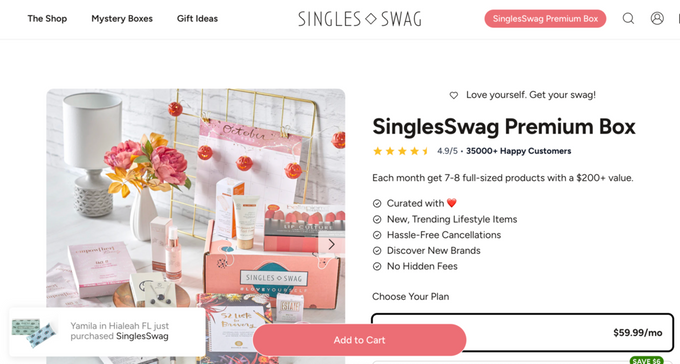
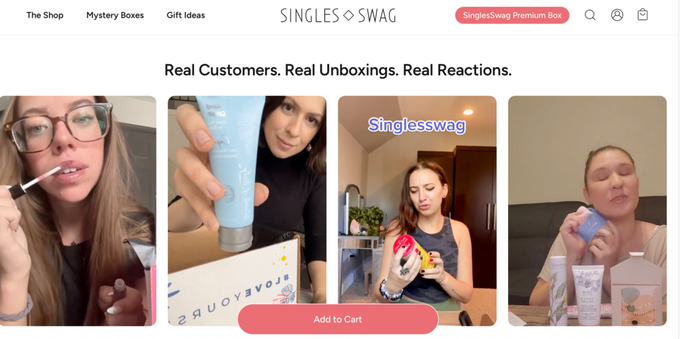
Takeaway: Don’t bury proof on a testimonials page; weave it into the decision points that matter most, especially PDPs, carts, and checkout. Reviews, UGC, trust badges, and live purchase notifications all work; the critical variable is proximity to the CTA, not the specific format.
Erin Choice , CRO Specialist at CROforce
7. Declutter your above-the-fold content
Cluttered pages split attention. When a visitor lands on a page with multiple competing messages, navigation links, banners, and calls to action, the cognitive load increases and conversion rates fall. The most effective pages guide visitors toward a single next step.
The Weather Channel tested this by removing distracting elements from its homepage and focusing on a single, clear value proposition. The result was a 225% increase in conversions, documented in the LinearDesign CRO case study collection. Nothing about their product or pricing changed. The improvement came entirely from reducing what users had to process.
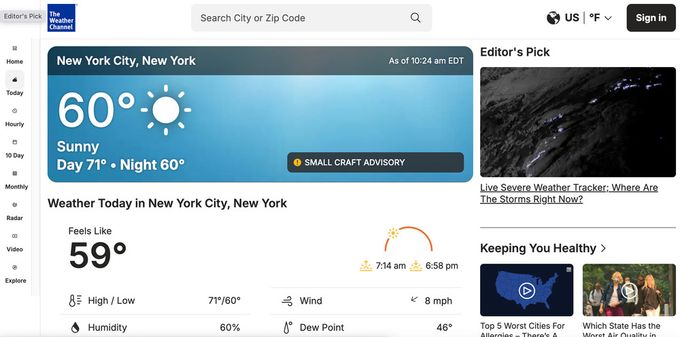
Takeaway: For your highest-traffic pages, identify every element that doesn't directly support your primary conversion goal and consider whether it should be removed, moved below the fold, or simplified.
8. Run structured A/B tests rather than one-off changes
Running A/B tests without a clear diagnosis is how teams waste months testing the wrong things. The highest‑value experiments come from combining quantitative data (where users drop off) with qualitative insight (why they drop off) before a single variant is built.
Ubisoft’s “For Honor” Buy Now page is a good example of this in practice. The team used heatmaps, scroll and click maps, and on‑page surveys to uncover the real issue: the buying flow required too much scrolling and too many choices before players could commit.
They then redesigned the page specifically to remove that friction, and over a three‑month test, increased lead generation by 12%, with conversions rising from 38% to 50%.
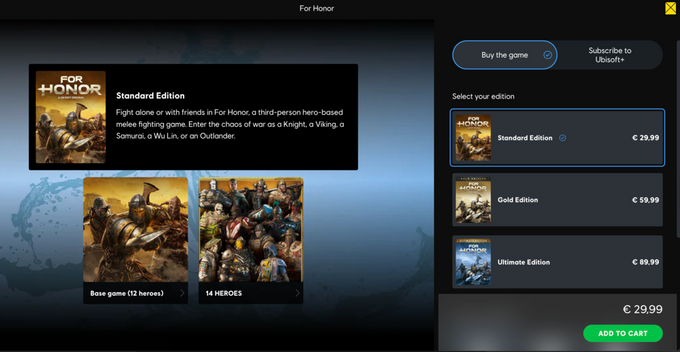
Takeaway: Before you add anything to your test backlog, use behavioral analytics to confirm where users drop off and why. Heatmaps, session recordings, and on‑page surveys are your diagnostic layer, and tests built on that foundation tend to produce clearer results and more useful learnings, even when they lose.
Conclusion
The most effective CRO programs aren't built around sweeping redesigns or expensive technology. They're built around a disciplined process of identifying friction, forming a hypothesis, running a clean test, and building on what the data shows. The case studies here represent different industries, business models, and starting points, but each follows the same basic structure.
If there's a single thread connecting all eight recommendations, it's this: the changes that move conversion rates are rarely the ones teams guessed would work. They're the ones the data pointed to. That's why structured testing and a systematic approach to prioritization are the foundation of any CRO program that produces compounding results over time.
» Ready to build a testing program that compounds? Book a CROforce demo to see what a structured, managed CRO plan could look like for your site
FAQ
What is a CRO recommendation?
A CRO recommendation is an evidence-based suggestion to change a specific element of a website or landing page to increase conversion rates. Recommendations should come from user behavior data, session recordings, heatmaps, or funnel analysis rather than assumptions, and should be validated through A/B testing before being rolled out permanently.
How do I know which CRO recommendations to prioritize?
Prioritize areas where your highest traffic volumes intersect with your highest drop-off rates. A useful framework is PIE: Potential (how much lift could this generate), Importance (how much traffic does this page or step receive), and Ease (how difficult is it to implement). High-traffic pages with significant drop-off and low implementation complexity are your highest-priority candidates.
How long does it take to see results from CRO changes?
It depends on your traffic volume. A/B tests need enough visitors to reach statistical significance, which on lower-traffic sites can take weeks. On high-traffic pages, results become statistically significant faster. As a rule, avoid ending a test early because it appears to be trending in one direction. Premature conclusions lead to false wins.
Do CRO recommendations apply across industries?
The underlying principles, reducing friction, improving clarity, building trust, and aligning offers with user intent, apply broadly. The specific tactics and their order of priority vary by industry, business model, and traffic type. An e-commerce brand optimizing checkout has different priorities than a SaaS company optimizing a free trial sign-up flow.